Case study
MyProtein Interactive Outfit Builder
Designing and prototyping an interactive ecommerce configurator that helps users combine clothing items, explore outfits and build confidence before purchase.
- Role
- UX Designer, THG
- Duration
- About 6 weeks
- Team
- Just me
- Client
- THG / MyProtein
- Platform
- MyProtein app, interactive prototype
- Focus
- Configurator UX, visual commerce, AI-assisted image workflows
Overview
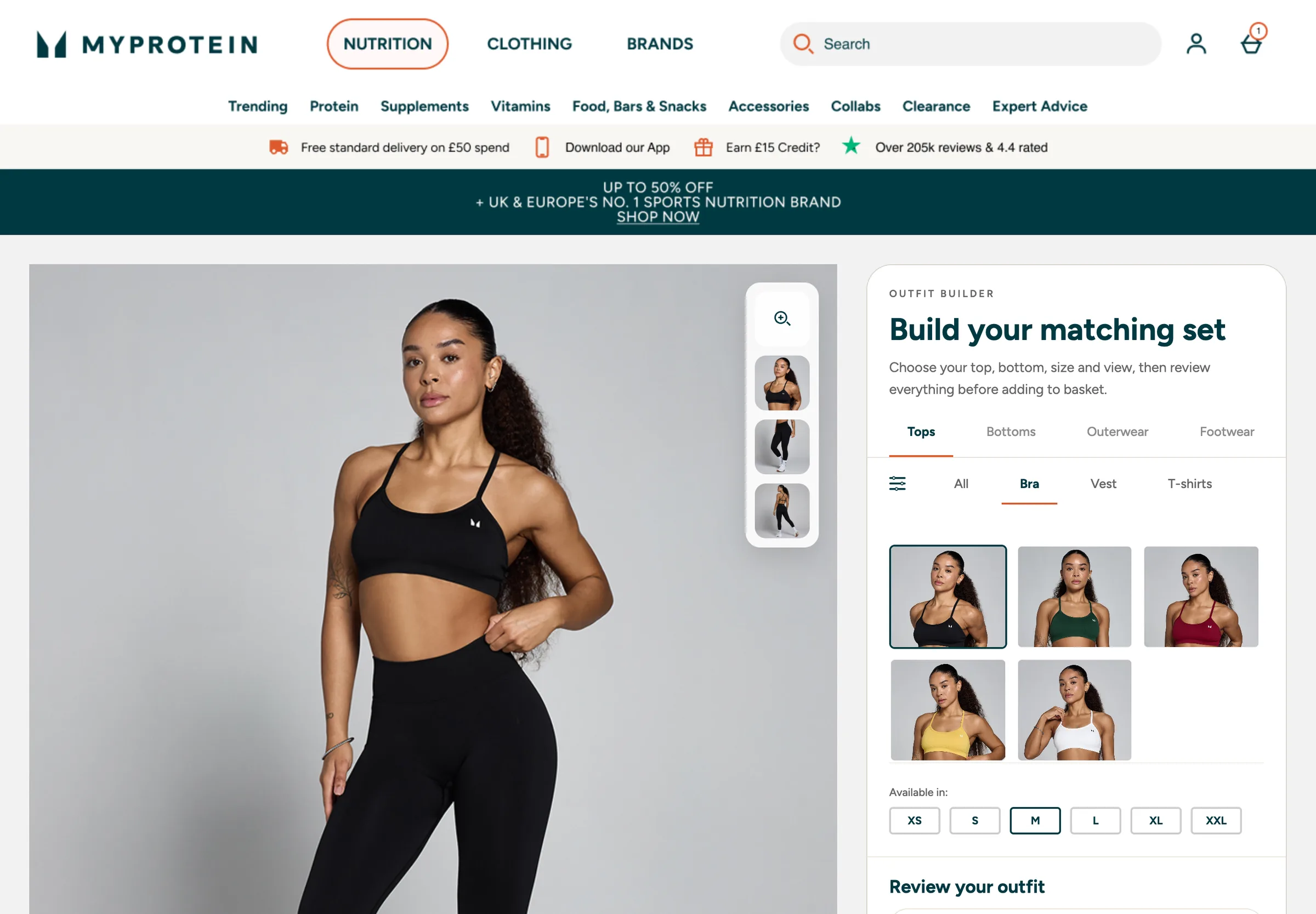
The Outfit Builder explored a more interactive way for users to combine clothing items and see how products could work together as a full outfit. The goal was to improve product discovery, increase confidence before purchase and support cross-selling across clothing collections.
The challenge
- 01No existing site functionality supported outfit configuration
- 02Product photography was not captured in a consistent pose or model
- 03AI-assisted image generation was needed to create consistent base model imagery and clothing overlays
- 04Scope had to be reduced for proof of concept due to image complexity
- 05Front and back views required large numbers of generated assets and thumbnails
- 06The system needed to be understandable and useful on mobile
Key UX/product decisions
Keep scope to tops, leggings and shorts initially
Allow users to swap products and colours
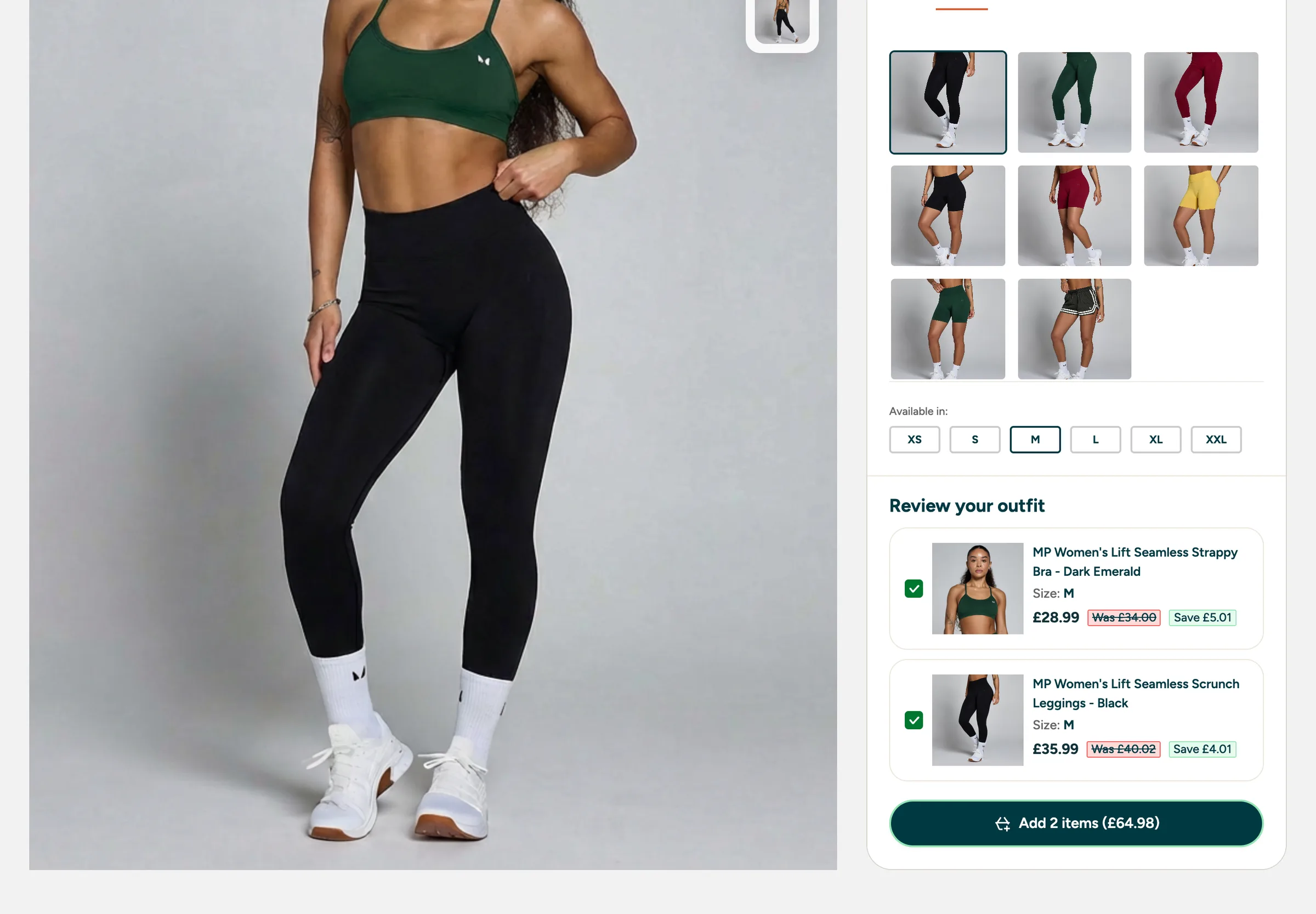
Make it clear which items would be added to basket
Support front/back views and closer product inspection
Create naming conventions with engineering so the correct image could be displayed for each selection
Design for future expansion into menswear and wider clothing ranges
AI-assisted image workflow
Existing product imagery did not support the desired interaction model, so AI-assisted generation was used to create consistent model views and apply clothing variants. This turned a visual asset limitation into a workable proof-of-concept pipeline.
Prototype to build
After early Figma exploration and testing, a fully working interactive prototype was created so users and stakeholders could experience the outfit builder realistically. This prototype was handed to engineering and helped accelerate the first proof-of-concept build.
Inside the working prototype
The prototype was built to behave like the real thing, so people could swap products, change views and review their outfit rather than imagine it.
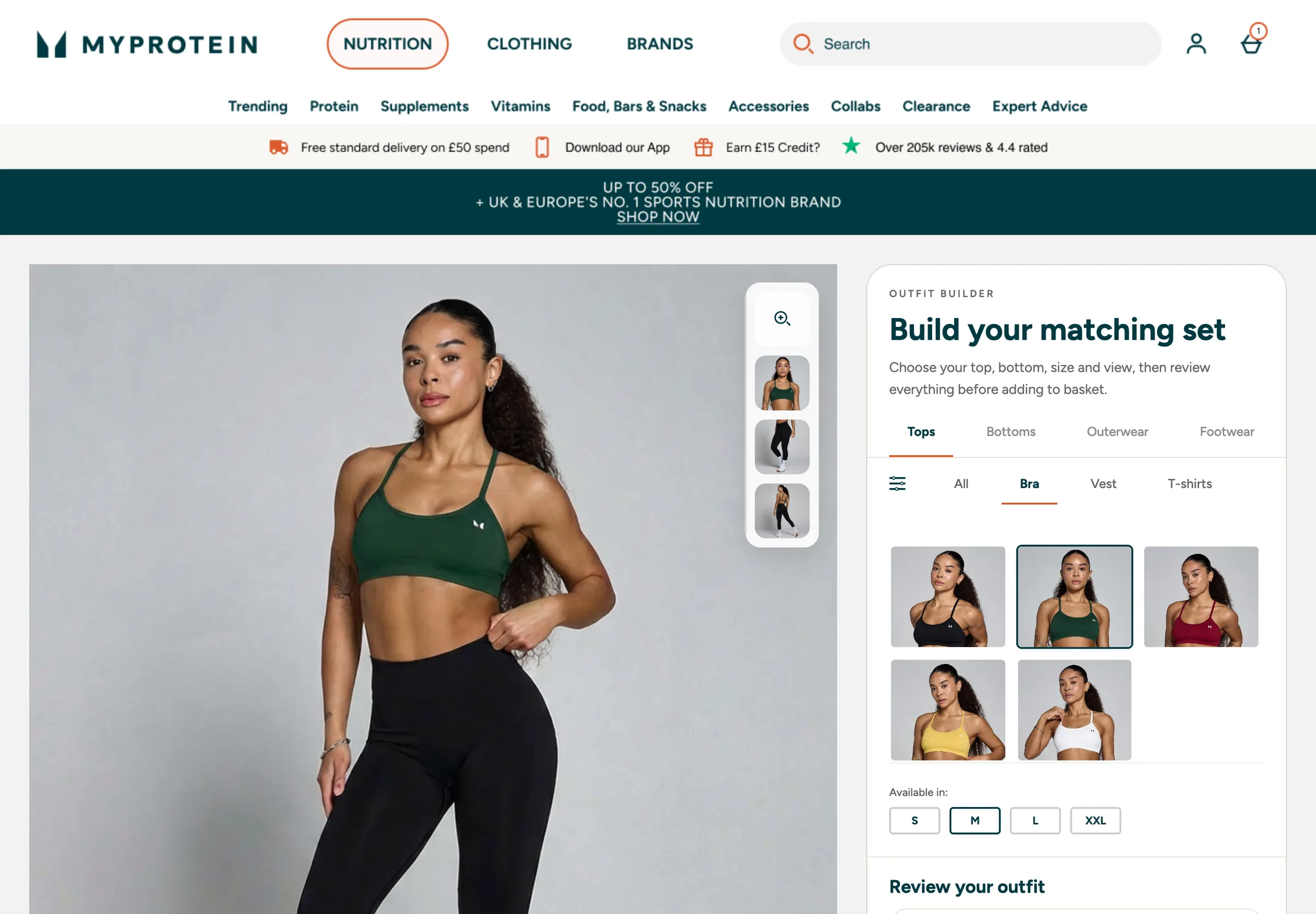
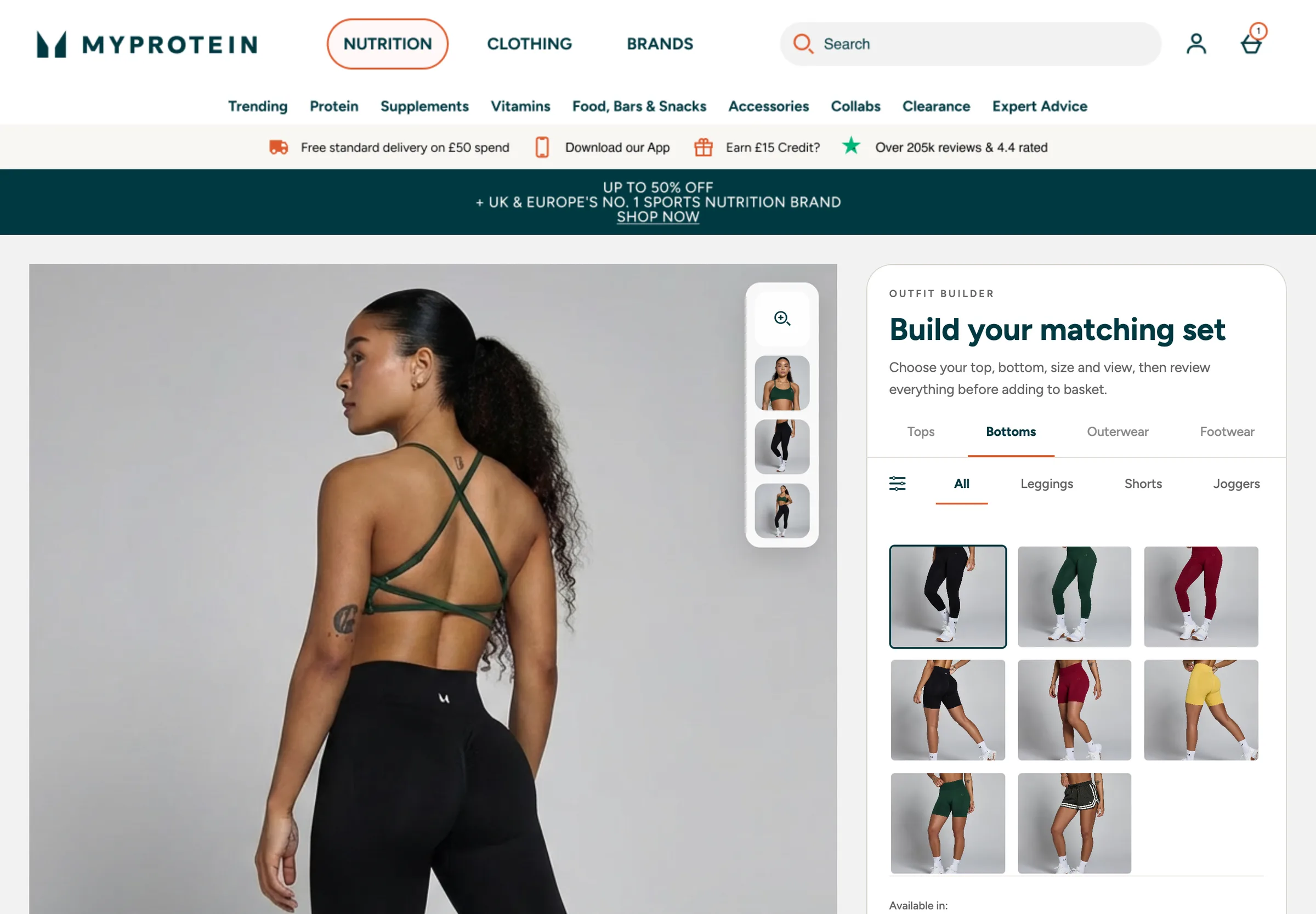
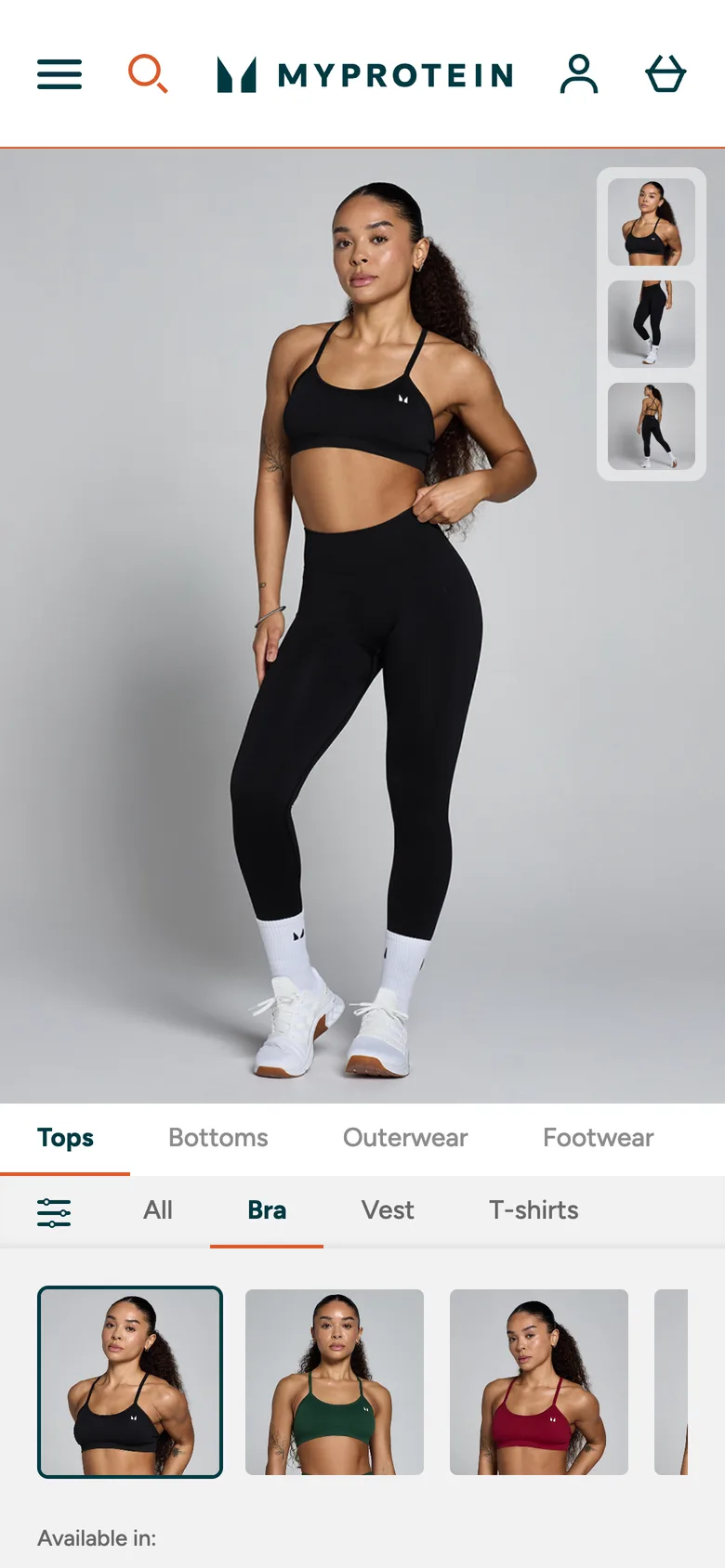
On mobile the outfit image leads, with view controls kept within thumb reach.
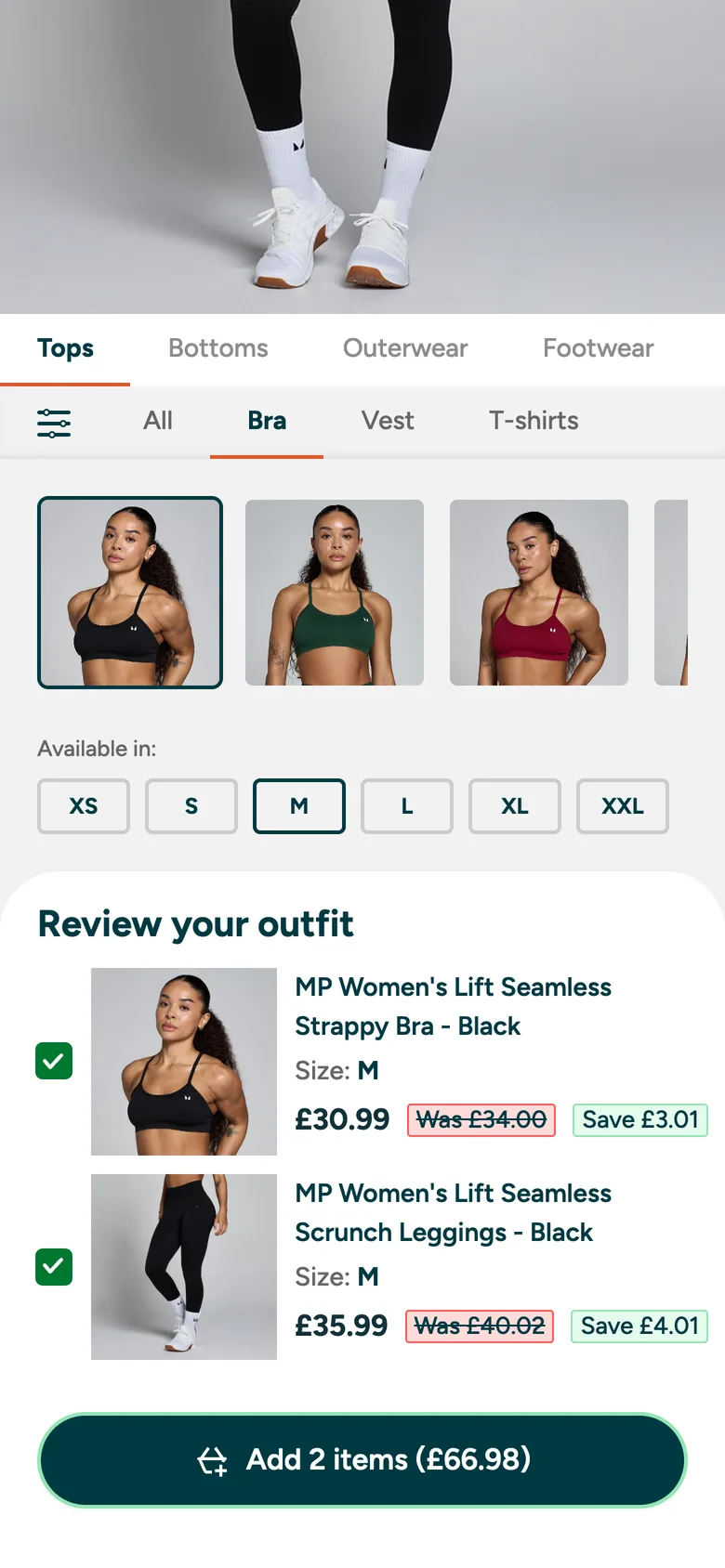
Product, size and review sit in one scrolling column, ending in a single add to basket action.
Collaboration
The work involved close collaboration with clothing teams, senior leadership and engineering. Clothing teams helped identify high-impact products and collections, while engineering collaboration focused on asset naming, image logic and implementation feasibility.
What testing showed
It tested very well
Feedback on the working prototype was very positive, and the requests that came out of testing were about extending it rather than fixing it.
People wanted a model like them
A common request was being able to change the model to someone closer to their own size, so they could judge fit as well as style.
People wanted more to choose from
Users asked for more items and options to select, which supports expanding beyond the proof-of-concept range.
Outcome
- Live proof of concept is being built
- Testing will measure conversion, order value and engagement
- Designs were showcased across the business
- The approach is being considered for other areas such as beauty
- The prototype helped create an accurate first build and faster engineering turnaround
Like what you see? Let's talk.
Email me at davidedwardsjones@googlemail.com, or get in touch through the contact page.